Free Writing Tools: Check Word Count, Reading Time, Reading Level, and AI Tokens in One Place
Before you hit publish, send, or paste into an AI tool, a few numbers tell you a lot about your text. Here's what each one means, when it matters, and how to check them all in seconds without uploading a word.
Paste your text, or scan an image of it, into How Many Words and you'll instantly see:
- Words, characters, sentences, and paragraphs, for the whole text or just a selection
- Reading time (at 275 words per minute) and speaking time (at 180 words per minute)
- Reading level, using the Dale–Chall formula
- Word counts from images with the Scan button, plus tabs for keeping several drafts open
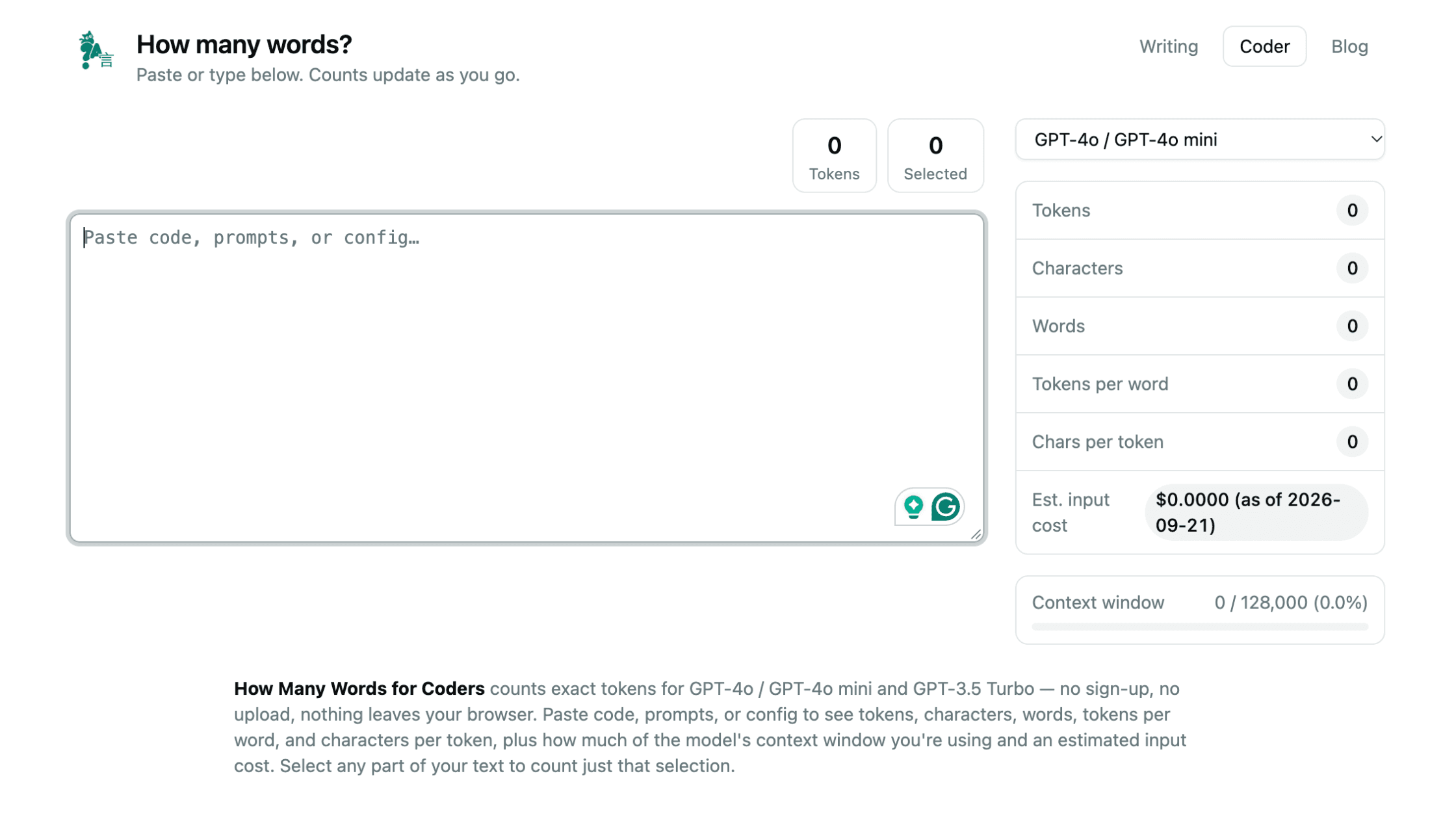
- AI token count, cost estimate, and context window usage in the Coder tool
It's free, needs no sign-up, and your text never leaves your browser.
Ten years ago, counting words was mostly for students hitting an essay limit. That's still true. But the reasons to measure your writing have multiplied.
You might be writing a talk that has to fit a five-minute slot, a newsletter people read on their phones between notifications, or a prompt you're about to paste into an AI model that charges by the token. Each of those has a number that matters, and it's usually not the one your editor shows by default.
Here's what each number tells you, when to care about it, and an honest note on its limits.
ContextWhy the numbers matter more now
Three things have changed how people read and write:
- Most reading happens on phones. Long paragraphs that look fine on a laptop become walls of text on a small screen. People decide in seconds whether to keep going.
- AI made text cheap. Anyone can produce 2,000 words in seconds, so readers are quicker to skip anything that feels padded. Shorter and clearer usually wins.
- Your writing goes into AI tools too. Prompts, documents, and code you paste into a model are measured in tokens, not words, and tokens decide both cost and whether your text fits.
The numbers below won't make your writing good. Only you can do that. But they'll tell you quickly when something's off.
Part 1 · Tools 1–9Tools for your writing
All of these work in the Writing tool.
1Word count
The basic number for essays, applications, articles, and anything with a limit. It's also a quick way to see if a piece has quietly grown much longer than it needs to be.
Reality: Hitting a word count is easy. Hitting it without padding is the skill. If you're adding words to reach a minimum, add an example, not an adjective.
2Selected count
Highlight any part of your text and the "Selected" counter shows how many words are in just that part. It's useful for checking one section of an application, a single answer on a form, or the intro of a post.
Reality: Most real limits apply to one section, not the whole document. Check the piece that's actually limited.
3Character count
Social posts, meta descriptions, SMS messages, app store descriptions, and form fields often limit characters, not words. The character count tells you whether your text will fit or get cut off.
Reality: For languages like Japanese and Chinese, which don't put spaces between words, the character count is often the more meaningful number.
4Sentences and paragraphs
Divide your word count by your sentence count and you get your average sentence length. Look at your paragraph count, too. If a 600-word post has only three paragraphs, it'll look like a wall of text on a phone.
Reality: On a phone screen, a paragraph of more than three or four sentences starts to feel heavy. Break it up.
5Reading time
Reading time is based on an average adult reading speed of 275 words per minute. Showing it at the top of a post helps readers decide to start, and it helps you see whether a piece fits the attention your audience has.
Reality: "4 min read" gets started more often than a mystery-length scroll. Readers like knowing what they're committing to.
6Speaking time
Speaking time uses an average pace of 180 words per minute. Use it for talks, wedding speeches, presentations, podcast scripts, and video voiceovers, anywhere you have a fixed slot.
Reality: Nervous speakers talk faster, and pauses take time. Read your script out loud once with a timer to check the estimate.
7Reading level
The reading level uses the Dale–Chall formula. It looks at your average sentence length and how many of your words fall outside a list of about 3,000 familiar words. It needs at least two sentences, and it only works for English.
Reality: A lower score isn't "dumbing it down." Even experts read faster when sentences are short and words are plain. Save the complex vocabulary for where you actually need it.
8Tabs for multiple drafts
Click the + button above the text box to open a new tab, and the × to close one. Each tab keeps its own text and its own counts, so you can keep an intro and a conclusion, a long and short version, or your own draft next to an AI-edited one side by side.
Reality: If an AI edit made your piece longer and raised the reading level, it probably made it worse. Compare the two tabs before you accept it.
9Scan: count the words in an image
Click Scan and add an image, and How Many Words pulls out the text and counts it for you. Use it for a photo of a handwritten draft, a printed page, a screenshot of a post, a slide, or a page from a book. The extracted text lands in the text box, where you can fix anything the scan got wrong. The Paste button next to it drops in whatever text is on your clipboard.
Reality: Writing by hand away from your phone is one of the best ways to focus. Scan means you don't have to retype it to know how far you got.
Tip: Clear, well-lit photos with straight lines of text scan best. Messy handwriting may need a quick check after scanning.
Tools for AI prompts and code
The Coder tool counts what AI models actually count: tokens.
10AI token counter
AI models don't read words. They read tokens, which are chunks of text that can be a whole word, part of a word, or punctuation. The Coder tool runs the real tokenizer for GPT-4o, GPT-4o mini, and GPT-3.5 Turbo in your browser, so the count is exact for those models. It also shows tokens per word and characters per token.
Reality: In English, 1,000 words is usually around 1,300 tokens. Other languages, code, and unusual formatting can use far more. Count instead of guessing.
11Cost estimate and context window
Paste a prompt, document, or config and you'll see an estimated input cost based on the model's published price, plus a bar showing how much of the model's context window your text uses.
Reality: If your prompt fills most of the context window, the model has less room to answer, and it may lose track of details. Trim before you send.
Quick reference tables
How many words is a speech?
At an average speaking pace of 180 words per minute:
| Speech length | Approximate words |
|---|---|
| 1 minute | 180 words |
| 3 minutes | 540 words |
| 5 minutes | 900 words |
| 10 minutes | 1,800 words |
| 20 minutes | 3,600 words |
How long does it take to read?
At an average reading speed of 275 words per minute:
| Word count | Approximate reading time |
|---|---|
| 500 words | about 2 minutes |
| 1,000 words | about 4 minutes |
| 1,500 words | about 5.5 minutes |
| 2,000 words | about 7 minutes |
| 3,000 words | about 11 minutes |
What does a Dale–Chall score mean?
| Score | Easily understood by |
|---|---|
| 4.9 or lower | An average 4th grader or younger |
| 5.0–5.9 | 5th and 6th graders |
| 6.0–6.9 | 7th and 8th graders |
| 7.0–7.9 | 9th and 10th graders |
| 8.0–8.9 | 11th and 12th graders |
| 9.0–9.9 | College students |
For most blog posts and newsletters, aiming somewhere in the 6–8 range keeps things easy to read without feeling simplistic.
An honest noteWhat about spell check and title case?
How Many Words focuses on one job: measuring your text, quickly and privately. It doesn't check spelling or grammar, and that's on purpose.
The editor you're already using, whether that's Google Docs, Word, Pages, or your browser, has spell check built in. For grammar and style, AI tools can help, with one warning: they tend to smooth your writing toward the same safe, average tone. Accept the fixes that correct real mistakes. Reject the ones that make you sound like someone else.
For title capitalization, pick one style and stick to it across your site. Sentence case ("How to find writing ideas") is easier to read and is common on modern blogs and apps. Title case ("How to Find Writing Ideas") is more traditional. Consistency matters more than which one you choose.
Put it to workA 2-minute pre-publish check
Before you publish a post or send a newsletter, paste it into How Many Words and check:
- Length: Does the word count fit the limit, or the attention your readers have?
- Reading time: Would you read something this long on your phone?
- Paragraphs: Is any paragraph longer than four sentences? Split it.
- Reading level: Is the score higher than it needs to be? Shorten your longest sentences first.
- Intro: Select your first paragraph. Is it under 60 words? Get to the point faster.
That's it. The numbers point you to what to fix. The fixing is still up to you, and your voice.
PrivacyYour text stays yours
Counting in How Many Words happens in your browser. There's no sign-up, and nothing you type or paste is saved or sent anywhere. That matters if you're working on an unpublished manuscript, client work, or a prompt with private details in it.
It also works with many languages. Word and sentence counting uses your browser's built-in Unicode text handling, so it copes with a wide range of scripts. The reading level score is English-only and shows "N/A" for other languages.

Check your text in seconds
Word count, reading time, reading level, and AI tokens. Free, private, and no sign-up.
Try How Many WordsFrequently asked questions
How many words is a 5-minute speech?
About 900 words, based on an average speaking pace of 180 words per minute. If you speak slowly or plan pauses, aim for 750 to 850 words.
How long does it take to read 1,000 words?
About 4 minutes, based on an average adult reading speed of 275 words per minute.
What is a good reading level for a blog post?
For most general audiences, a Dale–Chall score between 6 and 8 works well. That's roughly 7th to 10th grade, which is easy to read without feeling simplistic.
How many tokens is 1,000 words?
For English text with GPT-4o-style tokenizers, roughly 1,300 tokens. Code, other languages, and heavy formatting can use more. The How Many Words Coder tool gives you the exact count.
Can I count the words in an image or a photo?
Yes. Click Scan in How Many Words and add an image, such as a photo of a handwritten page, a screenshot, or a printed document. It pulls out the text and counts it, and you can correct any mistakes in the text box.
Can I work on more than one text at a time?
Yes. Click the + button above the text box to open a new tab. Each tab keeps its own text and counts.
Does How Many Words store or upload my text?
No. All counting happens in your browser. Nothing you type is uploaded, saved, or read by anyone.
Does How Many Words work with Japanese and other languages?
Yes. Counting uses your browser's Unicode text segmentation, which handles many scripts. The reading level score works for English only.