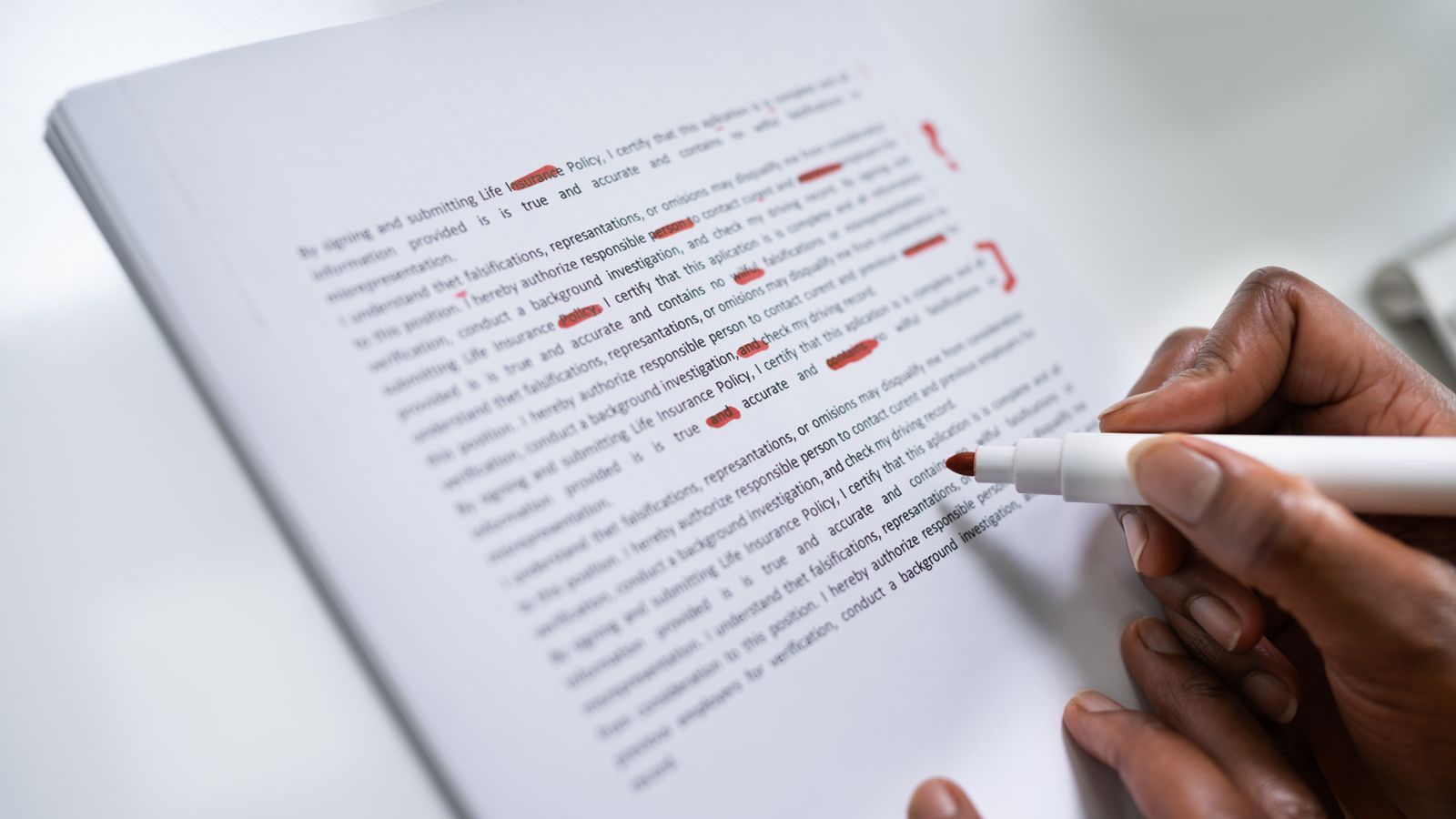
12 Writing Mistakes Spell Check Won't Catch (and How to Find Them Before You Publish)
Every word is spelled right, the grammar checker is happy, and the sentence is still wrong. Here are the hard-to-spot mistakes that slip past tools and tired eyes, and a simple routine for catching them.
Spell checkers and grammar tools miss mistakes where every word is spelled correctly but used wrongly. The most common:
- Real words in the wrong place, like form for from or now for not
- Doubled or missing small words
- Misplaced modifiers and unclear pronouns
- Tense drift, inconsistent style, and wrong names, dates, or links
- Leftovers from editing, including AI phrases like "Certainly! Here's…"
To catch them, read your text out loud, change how it looks on screen, and check facts and links in a separate pass.
You've probably sent something, reread it a minute later, and spotted the mistake instantly. It was there the whole time. You just couldn't see it while you were writing.
That's not carelessness. It's how reading works. And tools don't fully solve it. Spell check only knows whether a word exists, not whether it's the word you meant. Grammar checkers and AI catch more, but they still miss mistakes that depend on meaning, and they can't check whether your facts are right.
This guide covers the mistakes that slip past both your eyes and your tools. If you're looking for the classics like its vs. it's, see our guide to common grammar mistakes. This one is about the sneakier problems.
The science, brieflyWhy you can't see your own mistakes
- You read what you meant. Your brain knows the sentence you intended, so it quietly fills gaps and fixes errors as you read.
- You skim familiar text. By the third reread, you're recognizing sentences, not reading them.
- You're reading too fast. Especially on a phone, between notifications, when you just want to hit send.
- Edits leave scars. Rewriting half a sentence, moving paragraphs, and pasting from AI tools all create new errors in text you think you've already checked.
Reality: Proofreading your own work is hard for everyone, including professional editors. The fix isn't trying harder. It's changing how you look at the text.
12 writing mistakes spell check won't catch
Each with an example, a quick way to catch it, and a reality check.
1Misplaced and dangling modifiers
A describing word or phrase sits next to the wrong thing, so the sentence says something you didn't mean. Your brain reads what you intended, so it looks fine to you.
| Hard to spot | Fixed |
|---|---|
| While walking to the office, the rain soaked my laptop bag. | While I was walking to the office, the rain soaked my laptop bag. |
| She almost drove her kids to school every day. | She drove her kids to school almost every day. |
How to catch it: Ask "who or what is doing this?" for every opening phrase. The answer should come right after the comma.
Reality: Spell check sees nothing wrong here. Every word is spelled correctly, and the sentence is technically grammatical.
2Doubled words
Repeated words like "the the" or "to to" often hide across a line break, where your eyes jump from the end of one line to the start of the next.
| Hard to spot | Fixed |
|---|---|
| We need to to finish the the draft. | We need to finish the draft. |
How to catch it: Use Find (Ctrl+F or Cmd+F) to search for common doubles: "the the," "a a," "to to," "and and."
Reality: Some editors flag these, but many don't, especially in email and CMS text boxes.
3Real words in the wrong place
One wrong letter can turn a word into a different, correctly spelled word. Spell check approves it.
| Hard to spot | Fixed |
|---|---|
| I'll send the report form my laptop. | I'll send the report from my laptop. |
| Please do not forget to sign the from. | Please do not forget to sign the form. |
| The trail starts on Monday. | The trial starts on Monday. |
How to catch it: Read slowly, one word at a time, or read the text out loud. Your ears catch what your eyes skip.
Reality: "Now" and "not" are the most dangerous pair. "We can now ship" and "We can not ship" mean opposite things.
4Missing small words
Your brain fills in small words like "a," "the," "to," and "of" automatically, so you don't notice when they're missing.
| Hard to spot | Fixed |
|---|---|
| I'm going send it tomorrow. | I'm going to send it tomorrow. |
| It's one the best tools I've used. | It's one of the best tools I've used. |
How to catch it: Read out loud, or use your device's text-to-speech. Missing words are obvious when you hear them.
Reality: These often appear after editing, when you rewrite half a sentence and forget to fix the rest.
5Tense drift
You start in the past tense and slide into the present, or the other way around, usually across paragraphs rather than within one sentence.
| Hard to spot | Fixed |
|---|---|
| Last week I tested three apps. The first one crashes constantly, so I delete it. | Last week I tested three apps. The first one crashed constantly, so I deleted it. |
How to catch it: Pick a tense for the piece before you edit. Then scan the verbs in each paragraph.
Reality: Switching tense is fine when the time actually changes: "I tested it last week, and it still works today."
6Unclear pronouns
When a sentence mentions two people or things, "she," "he," "it," or "they" can point to either one.
| Hard to spot | Fixed |
|---|---|
| When Mika met Sara, she was nervous. | Mika was nervous when she met Sara. |
| Connect the app to the server and restart it. | Connect the app to the server, then restart the server. |
How to catch it: For every pronoun, ask "who or what exactly?" If there are two possible answers, use the name.
Reality: You know who "she" is. Your reader doesn't. This is one of the most common clarity problems in instructions.
7Subject–verb disagreement in long sentences
When words come between the subject and the verb, it's easy to match the verb to the nearest noun instead of the real subject.
| Hard to spot | Fixed |
|---|---|
| The list of changes are ready. | The list of changes is ready. |
| Each of the writers have a deadline. | Each of the writers has a deadline. |
How to catch it: Mentally cut the middle. "The list … is ready." "Each … has a deadline."
Reality: The longer the gap between subject and verb, the more likely this mistake becomes.
8Broken parallel structure
Items in a list or a series should share the same grammatical form. When they don't, the sentence feels bumpy, even if you can't say why.
| Hard to spot | Fixed |
|---|---|
| This month's goals: writing more, edit faster, and to publish weekly. | This month's goals: write more, edit faster, and publish weekly. |
How to catch it: Read each list item with the lead-in phrase. Each one should fit the same way.
Reality: Bullet lists are where this happens most, especially when bullets were written at different times.
9Inconsistent style
Mixing "email" and "e-mail," "10" and "ten," US and UK spelling, or title case and sentence case in headings. Each one is correct on its own. Together, they look careless.
| Hard to spot | Fixed |
|---|---|
| Check your e-mail. We'll send 3 reminders and ten updates. Our colour scheme and color palette… | Check your email. We'll send three reminders and ten updates. Our color scheme and color palette… |
How to catch it: Keep a short style sheet: your spelling (US or UK), how you write numbers, and how you capitalize headings.
Reality: Grammar tools rarely flag inconsistency, because each version is correct somewhere.
10Commas that change the meaning
A missing or extra comma can change who did what, or turn two people into one.
| Hard to spot | Fixed |
|---|---|
| I'd like to thank my editors, Aya and Ken. | I'd like to thank my editors, Aya, and Ken. (if Aya and Ken aren't your editors) |
| Students who finish early, can leave. | Students who finish early can leave. |
How to catch it: Read the sentence with a pause at every comma. If the pause feels wrong or the meaning shifts, check it.
Reality: Without the second comma, the first example could mean your editors are Aya and Ken.
11Wrong facts, names, numbers, and links
A misspelled client name, a wrong date, a statistic that doesn't add up, or a link that goes nowhere. These are often more damaging than any grammar mistake.
| Hard to spot | Fixed |
|---|---|
| Join us on Tuesday, November 4. | Join us on Wednesday, November 4. (check the calendar) |
| Our three tips: … (followed by four tips) | Our four tips: … |
How to catch it: Check every name, number, date, and link separately, as its own pass. Click every link.
Reality: AI tools can produce confident but wrong facts and dates. Verify anything an AI added before you publish.
12Editing and AI leftovers
Half-deleted sentences, placeholder text like [TK] or [insert link], a paragraph pasted twice, or AI chat phrases like "Certainly! Here's a revised version:" left in the final draft.
| Hard to spot | Fixed |
|---|---|
| Certainly! Here's a polished version of your intro: Writing every day is hard… | Writing every day is hard… |
| The launch is on [DATE]. | The launch is on March 12. |
How to catch it: Search for "[", "TK", "TODO," "Here's," and "Certainly." Then compare the word count to your last version. A sudden jump can mean duplicated text.
Reality: These are the most embarrassing mistakes, and some of the easiest to prevent with a quick search.
7 ways to see your writing fresh
The trick to catching these mistakes is making your own text feel unfamiliar, so your brain stops autocorrecting it.
- Read it out loud. You'll hear missing words, doubled words, and awkward sentences immediately.
- Let it rest. Even 20 minutes away helps. Overnight is better.
- Change how it looks. Switch the font, make it bigger, or read it on your phone instead of your laptop.
- Use text-to-speech. Most phones and computers can read text aloud. Listen while you follow along.
- Read the last sentence first. Working backward, sentence by sentence, stops you skimming for meaning.
- Do separate passes. One pass for meaning, one for grammar, one for facts, names, numbers, and links.
- Search for usual suspects. Use Find for doubled words, placeholders like "[" and "TK," and AI phrases like "Certainly."
Before-you-publish checklist
| Check | How |
|---|---|
| Real-word typos | Read slowly, out loud |
| Doubled and missing words | Text-to-speech, or Find for "the the" |
| Modifiers and pronouns | Ask "who or what?" for each one |
| Tense | Scan the verbs in each paragraph |
| Lists | Read each item with its lead-in |
| Style consistency | Compare against your style sheet |
| Names, dates, numbers | Check each one separately |
| Links | Click every one |
| Leftovers and duplicates | Find "[", "TK," "Certainly," and compare word counts |
Tools first, then your own eyes
Use spell check and grammar tools. They catch a lot. But treat them as the first pass, not the last. The mistakes that embarrass writers most are the ones tools can't see: the wrong date, the client's misspelled name, the "not" that should have been "now," the AI reply you forgot to delete.
Slow down for two minutes before you publish. Read it out loud, check the facts, and search for the usual suspects. It's the cheapest quality upgrade there is.
Catch duplicates and drift
Paste your last version and your new one into separate tabs. If the word count jumps unexpectedly, look for pasted duplicates.
Try How Many WordsFrequently asked questions
What mistakes does spell check not catch?
Spell check misses correctly spelled words used in the wrong place, like "form" for "from" or "now" for "not." It also misses missing or doubled words, misplaced modifiers, unclear pronouns, tense shifts, inconsistent style, and wrong facts, names, dates, or links.
Why can't I see mistakes in my own writing?
Because your brain knows what you meant to write, it fills in gaps and corrects errors automatically as you read. Making the text look or sound different, by reading aloud or changing the font, helps you see it fresh.
What is the best way to proofread?
Let the text rest, then read it out loud or use text-to-speech. Do separate passes for meaning, grammar, and facts, and use Find to search for doubled words and leftover placeholders.
Can AI tools proofread for me?
They can catch many errors, but they can miss mistakes that depend on meaning, change your voice, and occasionally introduce wrong facts. Use them as a first pass, then proofread the final version yourself.
What is a dangling modifier?
A phrase that doesn't clearly describe the right word. In "While walking to the office, the rain soaked my bag," the sentence suggests the rain was walking. Fix it by naming who did the action: "While I was walking to the office, the rain soaked my bag."